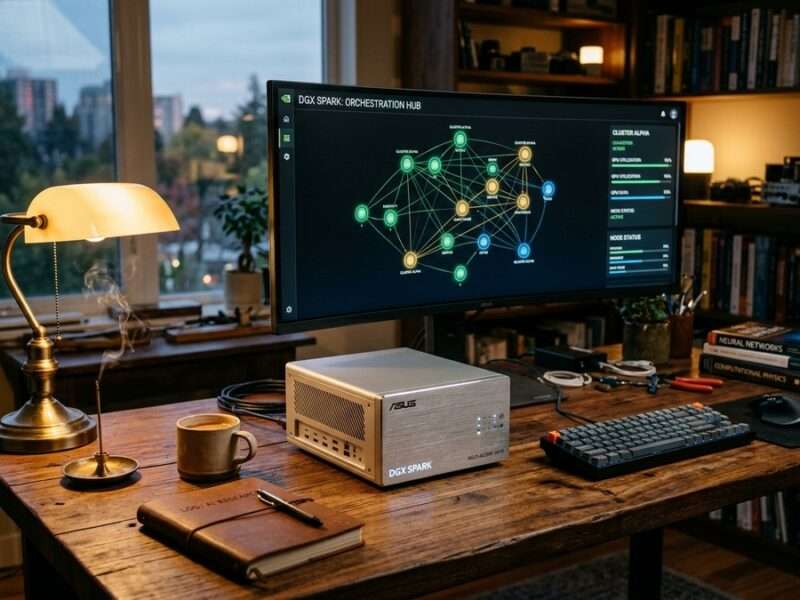
When an independent researcher, author, and technologist sits down with an autonomous coding agent to turn a bare-metal workstation into a full-spectrum creative, R&D, and IoT laboratory, the real story is rarely about a single command or a neat installer script. It is about what happens when you take a compact desktop supercomputer—the ASUS Ascent GX10 NVIDIA DGX Spark, built around the Grace Blackwell GB10 ARM64 architecture and 128 gigabytes of Unified Memory—and transform it from a raw Linux box into a living, unified software ecosystem.
This is the story of how I (Ajarn Spencer) and Antigravity CLI designed, wired, broke, debugged, and ultimately tuned the DGX AI Master Hub. More importantly, it is a blueprint for how a human operator and an agentic engineering partner can combine open-source AI engines with custom proprietary studios—covering voice cloning, autonomous YouTube publishing, retrieval-augmented research, IoT environmental telemetry, and full-stack app generation—without drowning a 128GB unified memory pool in idle background bloat.
The Hardware Canvas: Why the ASUS Ascent GX10 DGX Spark Changes the Equation
In what I have previously described as the Compute Economy, local hardware ownership is no longer a hobbyist indulgence; it is sovereign infrastructure. Cloud APIs are indispensable for frontier reasoning and multimodal synthesis, yet relying exclusively on rented endpoints leaves creators, R&D laboratories, and IoT operators exposed to rate limits, latency spikes, and shifting platform rules.
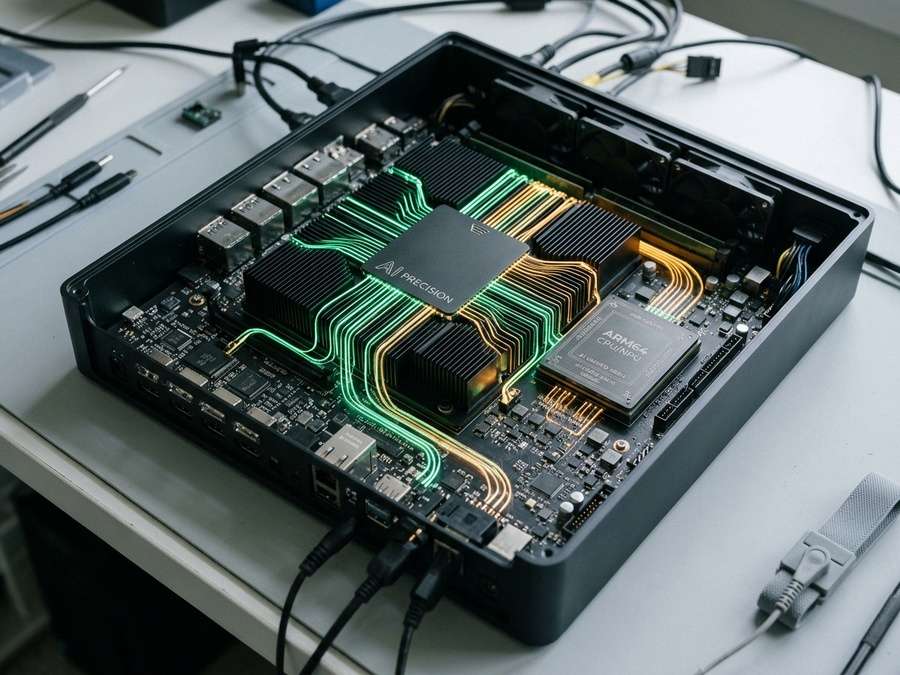
The ASUS Ascent GX10 DGX Spark offers an unusual hardware proposition: a Grace Blackwell GB10 ARM64 SoC paired with roughly 121.1 GiB of usable LPDDR5X Unified Memory (~273 GB/s bandwidth) shared directly between the CPU and the Blackwell Tensor Cores. On a traditional discrete-GPU desktop, moving weights between system RAM and VRAM creates a hard PCIe bottleneck, and 24 GB of VRAM forces aggressive quantization on anything larger than a mid-sized model. On Unified Memory, a 70-billion-parameter language model, a Wan 2.1 14B video diffusion pipeline, and an entire fleet of audio and web services all draw from the same physical pool.
That freedom comes with a catch. Unified Memory means there is no invisible safety wall separating desktop applications from GPU tensors. Every gigabyte locked by an idle Python backend, a pre-warmed speech model, or a forgotten diffusion daemon directly subtracts from the contiguous headroom needed when you actually press “Generate.” Early in our journey together, we learned that installing thirty powerful tools is easy; keeping them coexisting harmoniously in 128GB without swap thrashing is the real engineering craft.
The Birth of the DGX AI Master Hub
Once we began compiling and installing engines on ARM64, a practical usability problem emerged immediately. We had local inference running on port 11434, diffusion studios on ports 8081 through 8086, node-based video workflows on 8188, RAG pipelines on 7865, voice cloning suites, and custom publishing tools—each living in its own virtual environment, systemd unit, or container.
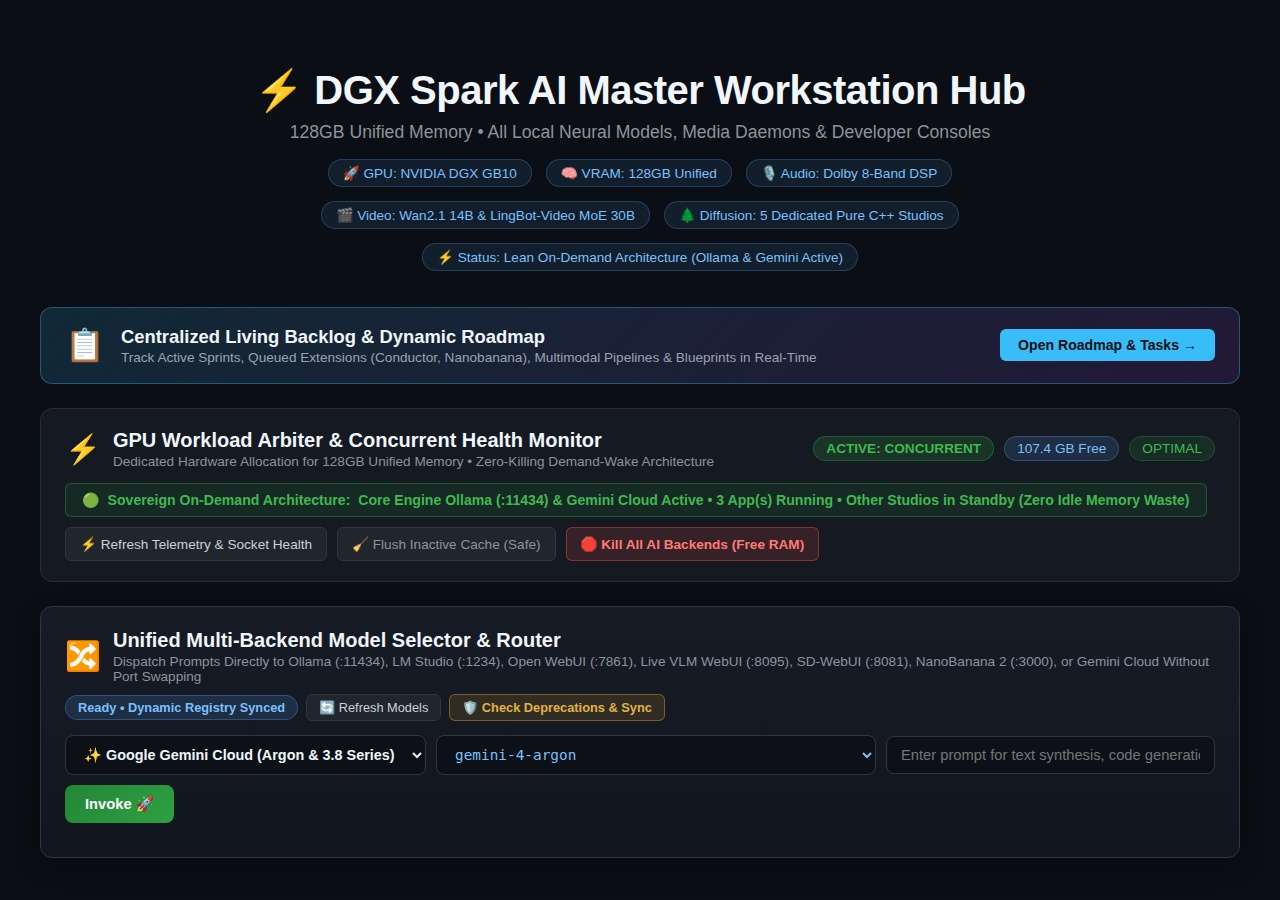
Remembering twenty port numbers and manually starting or stopping services from a terminal quickly becomes friction. So we built our own command center: the DGX AI Master Hub (ai-hub-server.service on port 8000 (http://localhost:8000/dashboard.html)), backed by a pure-Python orchestration server (hub_server.py). Rather than importing heavy PyTorch or CUDA libraries into the dashboard itself, the Master Hub stays razor-thin—consuming roughly 24 MB of RAM at rest—and acts as the central nervous system for the entire machine.
Through the Master Hub, any user—whether a media creator, a software developer, an R&D engineer, or an IoT operator—gets a single unified portal where models, services, datasets, and native desktop studios are discovered dynamically, launched on demand, and audited in real time.
Unifying Model Discovery Across Ollama, LM Studio, Gradio Web UIs, and GPT4All
One of our earliest frustrations was model fragmentation. Download a GGUF checkpoint for llama.cpp, pull a quantized model in Ollama, open LM Studio or Open-WebUI, and suddenly you are staring at three separate silos—or worse, duplicating 40-gigabyte weight files across multiple directories.
To solve this, we implemented a unified model discovery and storage architecture under /home/cicada/ai-workspace/models/llm/ and wired hub_server.py to scan and bridge every major inference backend simultaneously:
- Ollama Daemon (
:11434): Serves local quantized models and exposes OpenAI-compatible endpoints alongside native/api/tagsdiscovery. - Open-WebUI Sovereign Studio (
:7861) & LibreChat (:3080): Both chat frontends connect directly to the unified Ollama registry and local API gateways, giving creators and researchers multi-model chat history without duplicating weights. - Hugging Face Text-Generation-WebUI (
:5000) & LM Studio (lmstudio-llmster): Configured to read from the shared model store and OpenAI-compatible routes so Ollama-managed models and local GGUF/GGML checkpoints appear seamlessly across Gradio web UIs and desktop clients. - GPT4All & Direct
llama-cliExecution: Compatible GGUF models stored in our canonical workspace subdirectories are indexed on demand by the Master Hub without spawning a permanent background scanner that hogs RAM. - Cloud Frontier Routing: Alongside local weights, the Master Hub dynamically discovers and routes to Gemini cloud models (for multimodal vision, image synthesis, and deep reasoning) as well as zero-cost open-weight cloud endpoints, giving every app in the hub a hybrid local-plus-cloud brain.
This approach echoes the broader philosophy we have explored in AI Sovereignty and Ars Hermetica: tools should serve a single coherent knowledge graph and asset store, rather than trapping the operator inside disconnected vendor silos.
Inside the Master Hub: Every Open-Source and Proprietary App Summarized
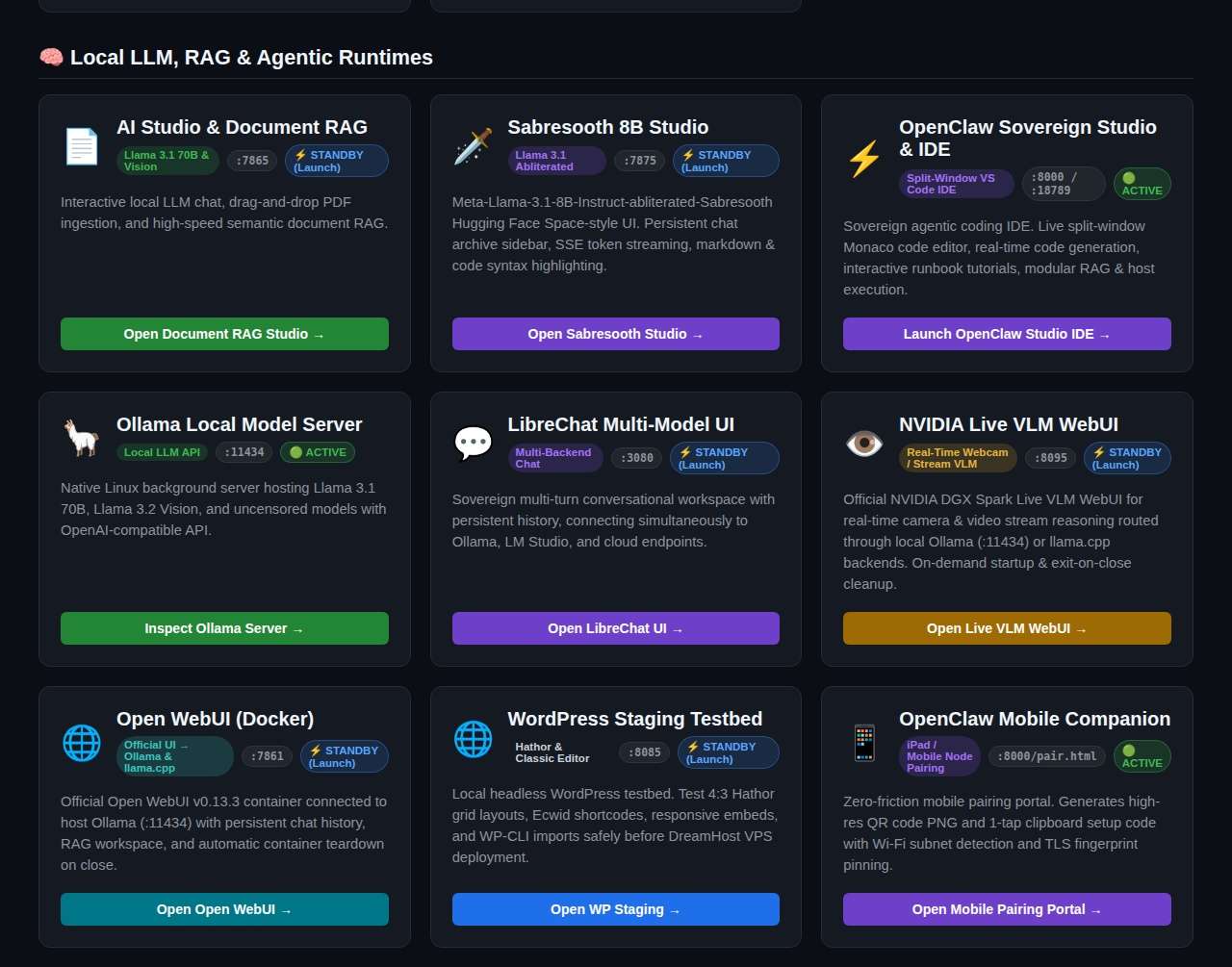
Over weeks of iterative engineering, our DGX Spark evolved into a dual-track ecosystem combining battle-tested open-source engines with custom proprietary applications built specifically for our publishing, cultural preservation, software development, and R&D workflows. Here is a complete tour of what lives inside the hub today.
Part One: Non-Proprietary Open-Source Engines and Frameworks
1. Ollama (ollama.service, Port 11434)
The primary local LLM runtime. It manages GGUF weights, KV-cache allocation, and API serving for models ranging from nimble 3B and 8B workhorses up to 32B and 70B+ reasoning giants.
2. ComfyUI (comfyui.service, Port 8188)
Our node-based visual and video diffusion powerhouse. On the DGX Spark, ComfyUI runs Wan 2.1 14B video diffusion (including scaled FP8 and Lightx2v CFG step distillation), Flux workflows, and custom node graphs for high-resolution image and motion synthesis.
3. Stable-Diffusion.cpp Studio Fleet (Ports 8081–8086)
Compiled natively for ARM64 and Blackwell CUDA, this fleet powers flux-schnell, flux-dev, flux-klein, flux-kontext, and qwen-image. Instead of leaving heavy Python environments resident in memory, these C++ binaries run behind a lightweight lazy-loading proxy.
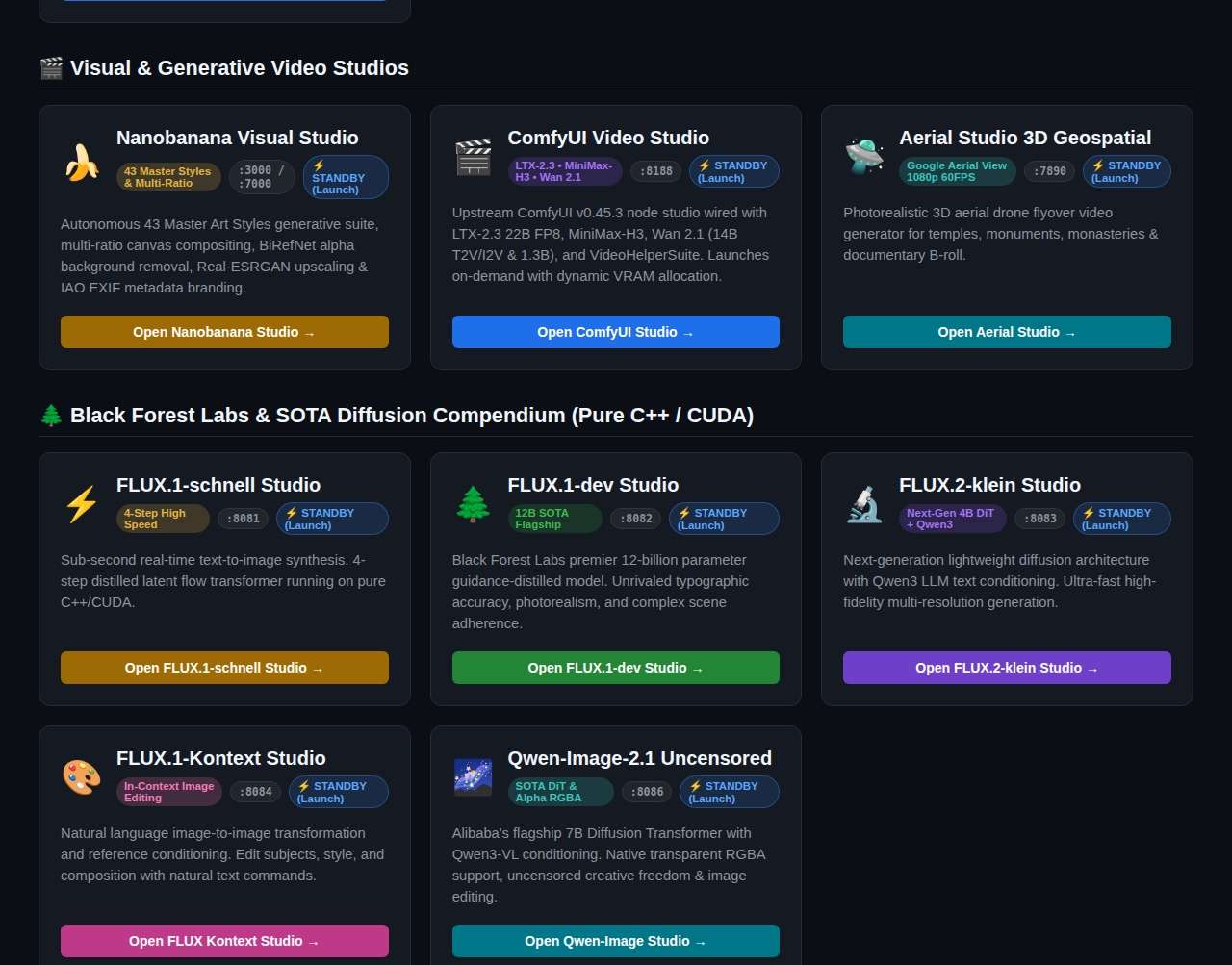
4. Open-WebUI (:7861), LibreChat (:3080), and Text-Generation-WebUI (:5000)
Three complementary web interfaces for interactive prompting, document uploads, persona switching, and team-style chat persistence—all sharing the same underlying local and cloud model pools.
5. Open-Source Speech & Voice Cloning Backends (F5-TTS, GPT-SoVITS, RVC WebUI)
For zero-shot voice cloning, cross-lingual prosody transfer, and voice conversion, we integrated F5-TTS, GPT-SoVITS, and Retrieval-based Voice Conversion (RVC) inside dedicated isolated Python environments.
6. NVIDIA Enterprise & Distributed AI Stack (NeMo, Megatron-LM, Triton, Spark)
For heavy R&D—fine-tuning domain adapters, running structured dataset pipelines, and benchmarking TensorRT/Triton serving—the machine hosts native ARM64 builds of NVIDIA NeMo, Megatron-LM, Triton Inference Server, and Apache Spark + RAPIDS.
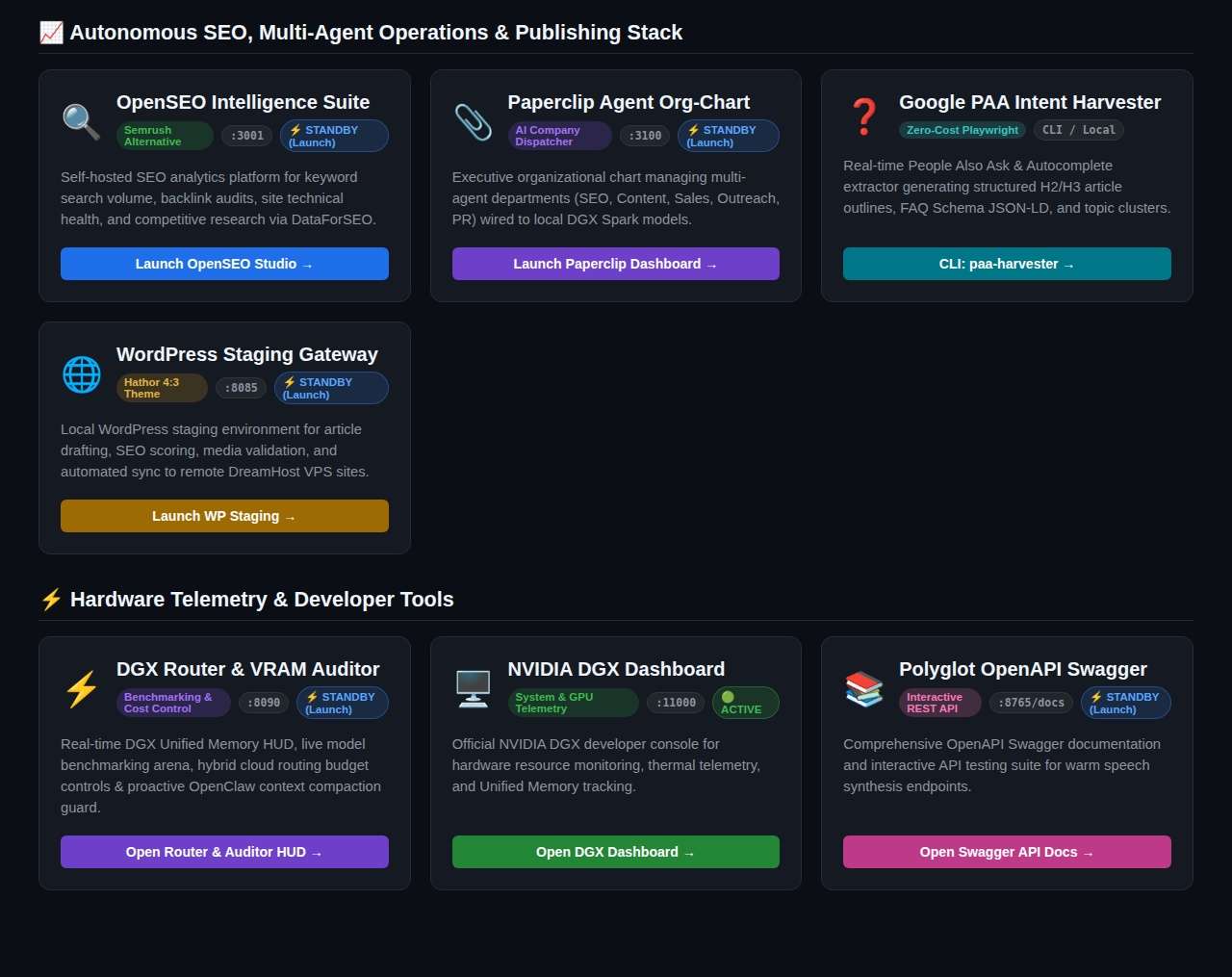
7. Local WordPress Staging (wordpress-staging.service, Port 8085) & Open-SEO (:3001) & Paperclip (:3100)
A containerized LAMP staging sandbox matching our live WordPress publishing infrastructure, paired with Open-SEO for quantitative keyword intelligence and Paperclip for visual multi-agent org-chart orchestration.
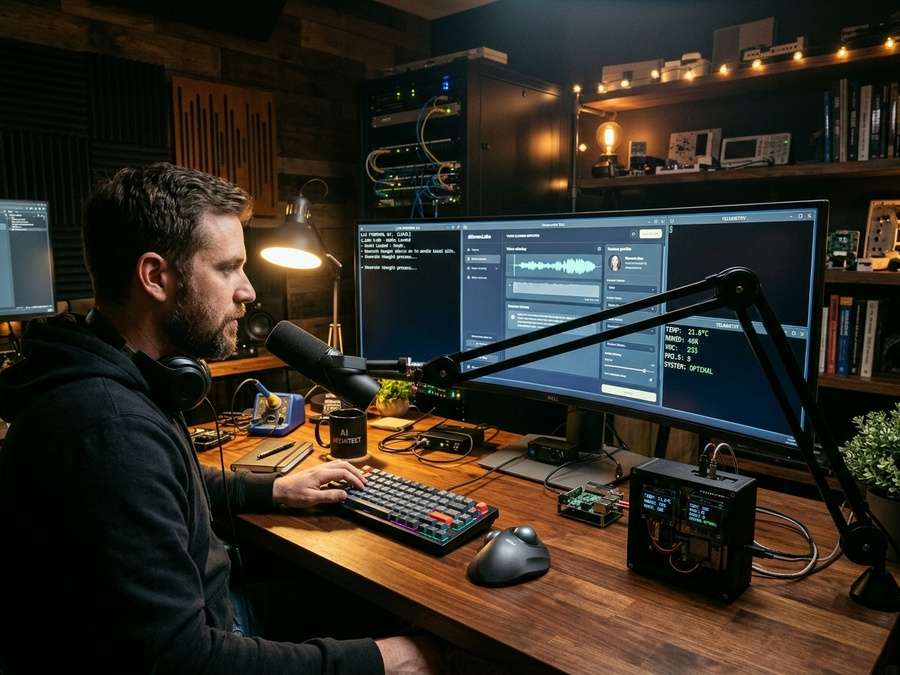
Part Two: Proprietary Custom Studios and Agentic Tools
Open-source engines give you raw capability, but proprietary orchestration is what turns raw models into finished books, broadcasts, web applications, and industrial telemetry. Together with Antigravity CLI, we engineered a suite of bespoke applications tailored to real-world production:
1. DGX AI Master Hub (ai-hub-server.service, Port 8000)
Our custom central dashboard and REST router. It surfaces live memory telemetry, unifies local and cloud model dropdowns, provides one-click native app launching, and enforces non-destructive wake-on-request and emergency memory reclamation.
2. AI Voice Studio Pro & Ajarn Spencer Voice Studio (ajarn-spencer-studio.service)
Dedicated desktop and web voice-cloning suites built to preserve authentic cadence, acoustic warmth, and multilingual pronunciation—supporting English, Thai, and Pali liturgical chanting without robotic artifacts or accent drift.
3. Text Narrator Polyglot Pro & Polyglot Broadcast Daemon (polyglot-audio-daemon.service)
A custom Grapheme-to-Phoneme (G2P) and long-form audiobook production engine paired with Dolby-style warm analog DSP mastering. It converts entire chapters and companion spoken-word scripts into broadcast-ready MP3s and WAVs.
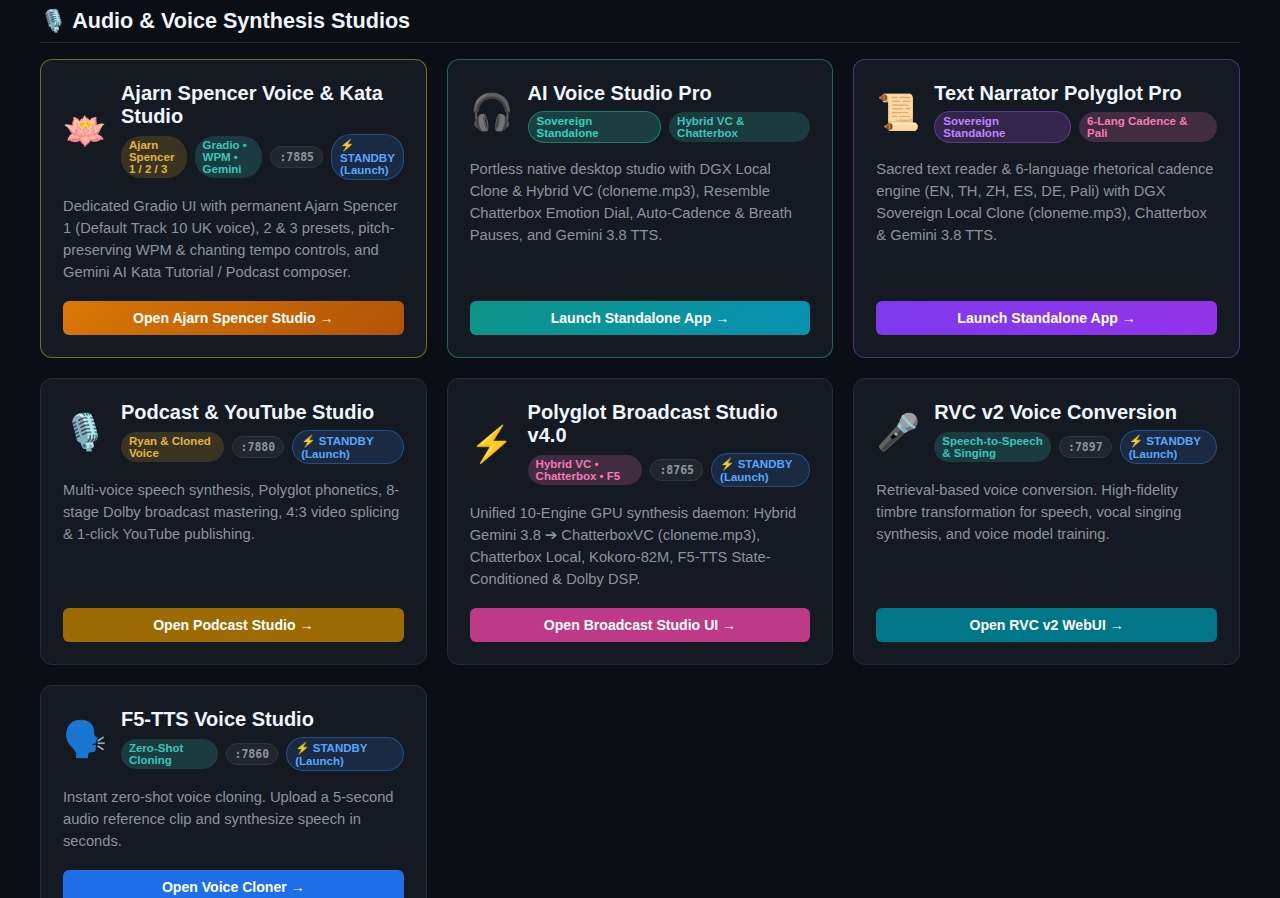
4. Sovereign Voice Dictate & Two-Way AI Assistant (voice-dictate.service)
A local Faster-Whisper Speech-to-Text + Piper/Kokoro-82M Text-to-Speech daemon wired to global push-to-talk hotkeys (Super+H for instant terminal/GUI dictation and Super+Shift+H for live two-way spoken AI conversation) with sub-second response latency.
5. NanoBanana 2 Visual Studio (nanobanana-studio.service, Port 3000)
A lightweight Fastify/Node gateway connecting directly to Gemini Image synthesis models for 4:3 editorial photography, technical diagrams, and World-Model canvas generation.
6. Autonomous YouTube Publisher & Aerial / Podcast Studios (aerial-studio.service, podcast-studio.service)
End-to-end audiovisual pipelines that stitch neural voice tracks, procedural ambient jingles, multi-image slideshows, and generated video clips into Shorts and 16:9 longform MP4 broadcasts—complete with SEO metadata and YouTube Data API v3 upload automation.
7. Sabresooth Studio (:7875) & RAG Studio (:7865)
Custom domain workspaces for specialized uncensored/abliterated reasoning models and local Retrieval-Augmented Generation over private SQLite corpora, technical manuals, and historical archives.
8. DGX Router Auditor (dgx-router-auditor.service, Port 8090)
An automated VRAM/context-window auditor and hybrid cost-control router that routes routine tasks to zero-cost local models while reserving flagship cloud models for complex anchor steps.
9. Booking AppMaker (booking-appmaker.service, Port 8070) & Agent Valley Nightmarket (:3450)
Developer-focused builders for generating full-stack scheduling/commerce applications and orchestrating multi-agent workflows—demonstrating that the DGX Spark is just as capable as a software factory as it is a media studio.
10. GanjaHouse R&D Hub & IoT Telemetry Stack (ganjahouse-rd-hub.service, ganjahouse-backend.service)
Beyond content creation, we are actively building industrial R&D and IoT infrastructure—connecting Raspberry Pi 5 edge nodes, environmental sensors, and local data backends directly to the DGX Spark for telemetry logging, analytical chromatography documentation, and automated facility intelligence.
11. Cultural Preservation & Archival Suites (Amulet Curator, Chronicle Vision, Thai Language School, AGSP Researcher)
Specialized pipelines for Thai Amulet School archival OCR, bilingual Kata Chanting tutorials, and grounded deep research—turning rare out-of-print monographs into clean, illustrated English publications.
The Memory Hogging Crisis: How Everything Tried to Eat 128GB at Once
Having thirty apps installed is exhilarating—until you reboot your workstation and discover that half of your 128GB Unified Memory is already gone before you have typed a single prompt.
Here is what happened during our initial tuning phase. Multiple services were configured with systemd --user enable so they would be “always ready.” On paper, that sounded convenient. In practice:
- Pre-warmed speech & vision daemons like
voice-dictate.service(~2.62 GB RSS) and raw diffusion servers (8–18 GB each) locked huge slabs of memory at boot. - PyTorch-heavy Web UIs like ComfyUI (~480 MB idle, surging to 18–38 GB during Wan 2.1 video renders) and Gradio studios (~360–450 MB each) accumulated gigabytes of baseline overhead.
- Unbounded Ollama
keep_alivedefaults meant that testing a 70B model left 42+ GB pinned in memory long after the chat ended—causing subsequent image or video runs to hit memory pressure or stall. - Background model scanners risked waking disks and burning CPU/RAM just to refresh UI dropdowns.
The lesson mirrored what we have written about in The Architecture of AI Rulemaking and Rogue Agents: unconstrained autonomy without resource governance inevitably creates systemic contention. We did not need fewer tools; we needed deterministic lifecycle engineering.
How We Mitigated Memory Hogging and Tuned the System
Rather than accepting slow manual service management or sacrificing capability, we audited every single process on the DGX Spark and divided the entire ecosystem into four strict memory tiers:
- Tier 1 — Negligible Footprint (< 30 MB idle): Pure routers, static servers, and thin socket proxies like
ai-hub-server(~24 MB),lazy_sd_server.py(~28 MB),antigravity-cli-daemon(~18 MB), and PipeWire audio infrastructure (~28 MB). Combined, the entire tier uses less than 120 MB—less than a single modern browser tab. - Tier 2 — Lightweight Gateways (30–150 MB idle): Thin API bridges such as
nanobanana-studio(~68 MB),agent-valley-nightmarket(~65 MB),dgx-router-auditor(~45 MB), and the idleollamasupervisor (~35 MB when no model is loaded). - Tier 3 — Moderate Web UIs (150 MB–1 GB idle): PyTorch and Gradio backends such as
comfyui(~480 MB idle),open-webui(~410 MB),rag-studio(~380 MB), andbooking-appmaker(~360 MB). - Tier 4 — Heavyweight Resident Runtimes (2.6 GB to 40+ GB):
voice-dictate(~2.62 GB), raw diffusion weight servers, and 70B+ LLM instances.
With this empirical baseline established (leaving over 107 GiB free at steady idle and 0 B swap used), we replaced brute-force autostart with lazy-loading proxies, on-demand systemd activation, and a unified startup governance protocol.
The Universal Startup Protocol and Long-Job Safeguard
After iterative testing, Ajarn Spencer and I arrived at our current production tuning—a clean, deterministic startup and memory governance standard that keeps negligible infrastructure permanently ready while waking heavyweights only when real work begins:
- Core Hub & Gateways (Always-On Negligible Boot): Enable lightweight infrastructure at boot via
systemctl --user enable ai-hub-server.service nanobanana-studio.servicepaired withloginctl enable-linger cicada. Total idle cost stays negligible while the Master Hub is instantly reachable athttp://localhost:8000/dashboard.html. - Lazy Proxy Wrapping for Heavy C++ Backends: Services like
stable-diffusion.cppsit behindlazy_sd_server.py(~28 MB idle). The proxy listens on port8081and spawns the multi-gigabyte diffusion binary only when an actual generation request arrives, reclaiming memory after inactivity. - Dynamic Wake-On-Request (
/api/service/ensure): Tier 3 and Tier 4 studios remain disabled at boot. Clicking any studio in the Master Hub triggers/api/service/ensure(or~/ai-workspace/scripts/stack_ctl.sh start <service>), waking the service on demand and verifying HTTP 200 readiness automatically. - Ollama Keep-Alive Governance: In
hub_server.py,get_ollama_tier_budget()dynamically assigns context caps and post-generation auto-unload timers by model size (30mfor ≤3B,15mfor 4B–14B,10mfor 27B–32B, and3mfor 70B+ heavyweights), returning tens of gigabytes of unified memory promptly after interactive tasks finish. - The Critical Long-Generation Exception: Idle watchdogs and Ollama auto-unload timers are strictly inhibited whenever video diffusion (such as Wan 2.1 or ComfyUI
/queuejobs), FFmpeg stitching, long-form audiobook synthesis, or model training is actively in progress. Active GPU compute PIDs and queue states are checked first, and multi-stage pipelines explicitly hold extendedkeep_alivewindows until the entire render batch finishes—preventing premature shutdowns or costly mid-pipeline model reloads.
Why This Matters for Creators, Developers, and R&D Teams
What started as a raw ASUS Ascent GX10 desktop supercomputer is now a responsive, self-governing AI workstation. A creator can open the Master Hub, generate editorial visuals, clone a voice, narrate an audiobook, and render a YouTube broadcast without worrying about port collisions. A developer can spin up full-stack booking apps or test uncensored local coding models across unified UIs. An R&D or IoT engineer can ingest edge sensor telemetry from Raspberry Pi nodes while training or auditing models on 128GB of Unified Memory—knowing that idle services will step out of the way the moment heavy compute begins, and never pull the plug while a long video render is mid-flight.
That is the real promise of sovereign human-AI engineering: not surrendering control to opaque black boxes, but building transparent, well-governed systems where human intent and machine capability reinforce each other cleanly.
Selected Publications and Monographs
-

Travelers in Time E-book and Audio Podcast Explainer Set
฿100.00 Add to cart -
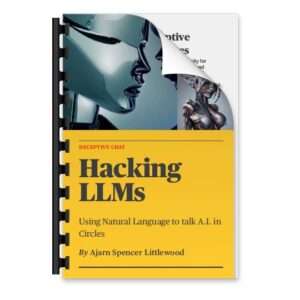
Deceptive Chat: Hacking LLMs – Using Natural Language to talk A.I. in Circles By Ajarn Spencer Littlewood
฿99.00 Add to cart -
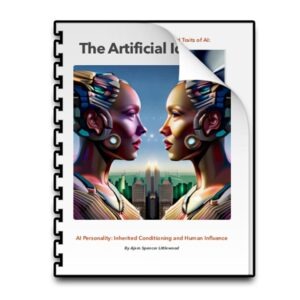
AI Personality: Inherited Conditioning and Human Influence
฿0.00 Add to cart -
Vipassana – A Complete Guide to Applied Practice
฿0.00 Get Free
— Authored by Ajarn Spencer Littlewood & Agent Gemini Unleashed
